Selection Guide
Best AI for Data Analysis: 7 Tools Compared (2026)
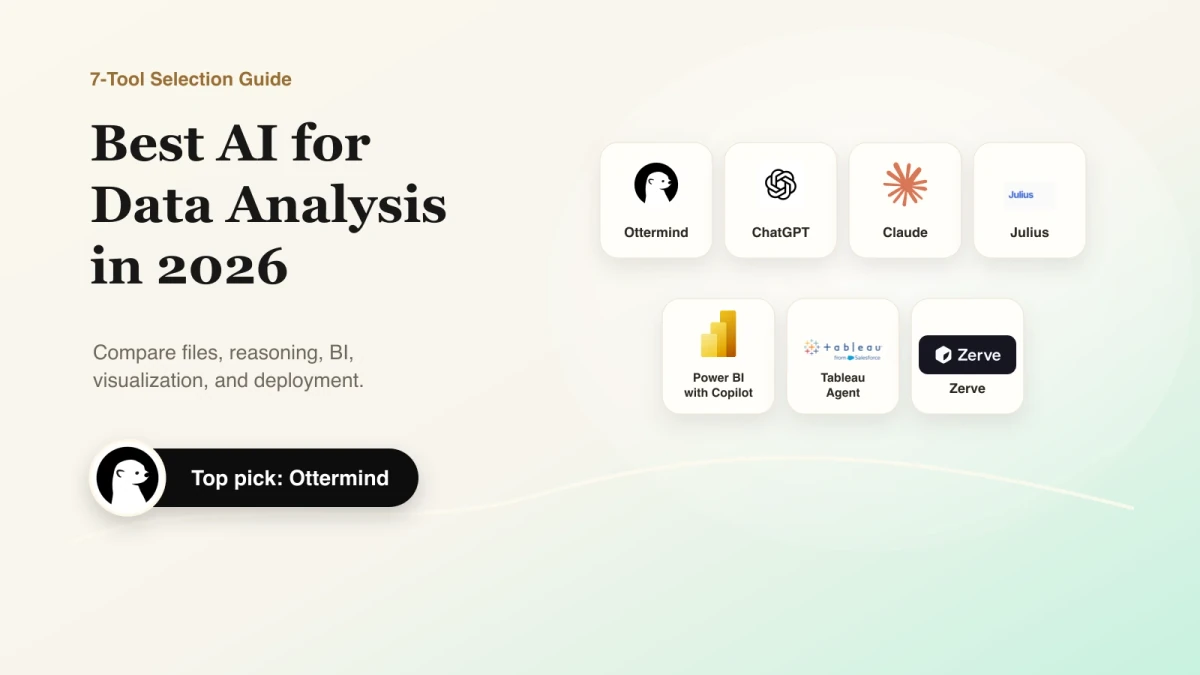
The best AI for data analysis depends on where your data lives and what must happen after the first answer. Ottermind is our top pick when spreadsheet analysis must continue into reports, presentations, and project work. ChatGPT is a flexible starting point for quick file exploration, Claude handles ambiguous questions, Julius provides a dedicated conversational analyst, Power BI with Copilot fits governed Microsoft environments, Tableau Agent emphasizes visual exploration, and Zerve connects code-first analysis to deployment.
Choose a product with inspectable methods and workflow-ready outputs. Test finalists with the same dataset before paying.
Research and disclosure: Ottermind publishes this guide, is included in the comparison, and is our top pick for analysis-to-deliverable workflows. We may benefit if readers choose it. We reviewed US results and official product, help, and pricing pages on July 21, 2026. We did not run a controlled benchmark; one independent 10,000-row test informs the verification advice.
Best AI for data analysis at a glance
| Tool | Best for | Useful input | Inspectable method or output | Starting point | Main limitation |
|---|---|---|---|---|---|
| Ottermind | Analysis that must become a deliverable | Spreadsheets plus project files, links, notes, and instructions | Analysis in shared project context, followed by reports and presentations | Check the current account offer | Not a replacement for governed BI or specialist statistical software |
| ChatGPT | Quick, flexible file exploration | CSV, XLSX, and common files | Python analysis, tables, and charts | Limited free analysis | Spreadsheet uploads are about 50 MB, depending on row size |
| Claude | Complex questions with ambiguous definitions | CSV, JSON, and XLSX with analysis enabled | Executed analysis, code, files, and visualizations | Free; Pro is $20 monthly | 30 MB per file and up to 20 files per chat |
| Julius | A dedicated conversational data analyst | CSV, XLSX, Google Sheets, and higher-tier database connections | Code, notebooks, charts, reports, and exports | Free; Plus is $20 monthly | Database and team workflows require higher plans |
| Power BI with Copilot | Governed Microsoft business intelligence | Semantic models and enterprise data sources | DAX, report pages, narratives, and model lineage | Power BI Desktop is free | Copilot requires paid organizational capacity |
| Tableau Agent | Visual exploration and data storytelling | CSV, XLSX, Hyper, text, and live connections | Calculations, visualizations, workbooks, and prep steps | Tableau Desktop Free for manual analysis | Cloud Agent requires Tableau+; free Desktop does not include it |
| Zerve | Code-first analysis that must become a deployed result | Python, R, SQL, and Spark workflows | Executed notebook blocks, versions, reports, APIs, and apps | Pay As You Go starts at $0 | More technical, with agent and compute credit costs |
Prices can change. Check the official offer, especially when AI depends on a separate edition, capacity, or credit system.
How we evaluated AI data analysis tools
The best AI tools for data analysis solve different jobs. Project workspaces connect analysis to later deliverables. General assistants suit one-off files and follow-up writing. Dedicated AI analysts focus on file-to-chart or file-to-report work. Enterprise BI copilots use governed, refreshable models. Agentic notebooks preserve code and can turn analysis into an application or API.
We compared each product on four practical dimensions:
- Task and input fit: one-off files, connected projects, live BI, or code-first workflows.
- Method visibility: code, calculations, assumptions, excluded rows, and model context that a reviewer can inspect.
- Output and reuse: tables, charts, reports, dashboards, presentations, applications, or APIs.
- Governance and cost: plan limits, organizational controls, capacity requirements, credits, and compute.
Do not move governed dashboards into chatbots or buy enterprise BI for one spreadsheet. Start with the input, output, and who must verify or reuse the result. For PDFs and citations, compare document-analysis tools; for source discovery, use an AI research assistant.
The seven AI data analysis tools compared
1. Ottermind: best for analysis that must become a deliverable
Ottermind is our top pick when a spreadsheet is one part of a larger project. Its product includes an Analyze spreadsheet action, while files, links, notes, instructions, decisions, and earlier work remain available as project context. That makes it useful when verified findings must continue into a report, presentation, or follow-up task instead of ending as an isolated chat answer.
Use a representative spreadsheet and check every calculation before reusing the result. Ottermind is not a governed BI platform, automatically refreshed dashboard, or specialist statistical package. Choose it for connected project context and deliverables; choose Power BI, Tableau, or a dedicated analyst when modeling depth, live governance, or visual exploration is the primary requirement.
2. ChatGPT: best for quick, flexible file analysis
ChatGPT is a practical default for uploading a spreadsheet, exploring questions, cleaning columns, calculating metrics, and creating a first chart. OpenAI says structured spreadsheet data is typically processed with Python.

Open the code, confirm the columns and filters, and reconcile totals against a known value. Free analysis is limited; paid plans expand uploads and interactive charts. CSV and spreadsheet files are limited to about 50 MB depending on row size, and ChatGPT is not a governed, automatically refreshed BI system.
3. Claude: best for complex questions with ambiguous definitions
Claude supports CSV and JSON, plus XLSX when analysis is enabled, and can execute code, create files, and visualize results. Choose it when interpreting the question matters as much as calculating the answer.

In one independent 10,000-row test, Claude handled several ambiguous definitions and tied results better than the other assistants, but that is not a universal accuracy ranking. Limits are 30 MB per file and 20 files per chat. Claude is free; Pro is $20 monthly or $17 per month billed annually.
4. Julius: best dedicated AI analyst for files and connected data
Julius focuses on conversational data work. Upload CSV or Excel files, connect a Google Sheet, run code-backed analysis, create charts, and export CSV or Excel results. Reports can combine calculated figures, tables, charts, and narrative.
Free access covers small projects; Plus is $20 monthly and Pro is $45. Postgres, BigQuery, and Snowflake connections appear on the $450-per-month Business plan, so frequent live-data or team use requires a more expensive evaluation.
5. Power BI with Copilot: best for governed Microsoft BI
Power BI with Copilot fits organizations already using Fabric, semantic models, shared reports, and DAX. It assists with analysis, report creation, narratives, and DAX while Power BI handles permissions, refreshes, and distribution.

Microsoft requires paid Fabric F2+ or Power BI Premium P1+ capacity; Pro or Premium Per User alone is insufficient. Pro is $14 per user monthly and PPU is $24, paid yearly, but neither removes the capacity requirement. Poorly prepared semantic models can produce inaccurate or misleading outputs.
6. Tableau Agent: best for visual exploration and storytelling
Tableau Agent uses natural language to prepare data, formulate calculations, generate visualizations, and explain dashboards. It supports CSV, XLSX, Hyper, text, extracts, and live connections.
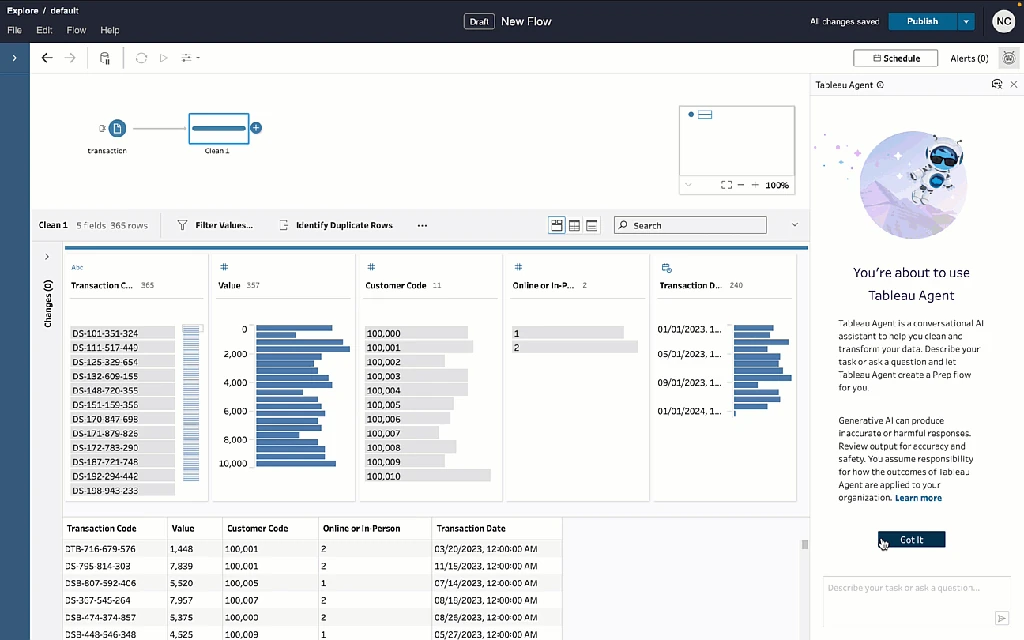
Tableau Desktop Free can analyze local data, but Agent is not free: Cloud requires Tableau+, while Desktop must connect to an AI-enabled Cloud or Server site. Tableau Next starts at $40 per user monthly, billed annually; Tableau+ requires a quote. Agent does not support cubes, and blends are limited to the primary source.
7. Zerve: best for code-first analysis that must ship
Zerve combines an AI agent, executable notebooks, versioning, collaboration, and deployment. Python, R, SQL, and Spark work can become reports, dashboards, APIs, or applications, making Zerve suitable when reproducibility and production matter.
The tradeoff is a more technical environment and usage costs. Pay As You Go starts at $0; Pro is $25 per user monthly or $18.75 with annual billing. Agent tasks and compute consume credits, so compare the recurring workload, not only the seat price.
Which AI data analysis tool should you choose?
- Choose Ottermind when analysis must stay connected to source material and continue into reports, presentations, or project work.
- Choose ChatGPT for fast, flexible exploration of one-off files.
- Choose Claude when definitions are ambiguous and the explanation needs careful reasoning.
- Choose Julius for a dedicated conversational analyst with file and higher-tier database workflows.
- Choose Power BI with Copilot for governed Microsoft reporting built on prepared semantic models.
- Choose Tableau Agent for interactive visual exploration and data storytelling.
- Choose Zerve when code, reproducibility, collaboration, and deployment belong in one workflow.
Shortlist by workflow first, then test no more than two or three products on the same representative dataset.
Run the same test before you pay
Use the same small, non-sensitive dataset for every finalist:
- Include known totals, missing values, duplicate keys, mixed types, one outlier, and a tied maximum.
- Ask the tool to describe the schema and data-quality issues before calculating anything.
- Define the exact metric, columns, timeframe, filters, and whether “largest” means signed value or absolute magnitude.
- Require the code or calculation steps, excluded rows, assumptions, and treatment of missing values.
- Request one table, one chart, and a short decision memo, then reconcile every total.
- Change one definition and rerun the task to test revision, reproducibility, and stale context.
In the public test, tools often calculated what their code requested, but not what the person intended. Ambiguous averages, negative values, ties, and inconsistent text produced different answers. Reject a finalist that hides its method, silently drops rows, cannot explain chart totals, or reveals critical plan requirements only after setup.
Common mistakes when using AI for data analysis
- Asking a tool to “find insights” without naming a decision, metric, or timeframe.
- Assuming generated code is correct because it runs without an error.
- Ignoring ties, negative values, nulls, type conversions, duplicated keys, or inconsistent labels.
- Uploading confidential data before checking organizational policy, retention, training settings, regions, and connected services.
- Choosing by the model name instead of input path, method visibility, output, refresh, and governance.
- Treating a one-off chat result as a production dashboard, forecast, or statistically defensible conclusion.
AI can reduce boilerplate and accelerate exploration. A person still owns the metric, method, context, verification, and decision.
Frequently asked questions
Which AI is best for analyzing data?
Ottermind is our top pick when analysis must continue into reports, presentations, and project work. ChatGPT suits quick files, Claude ambiguity-heavy questions, Julius dedicated conversational analysis, Power BI governed Microsoft BI, Tableau visual analysis, and Zerve code-first deployment. Choose by input, verification, output, and reuse.
Can ChatGPT analyze Excel and CSV files?
Yes. ChatGPT supports common spreadsheet formats and can use Python for tables and charts. Limits vary by plan; inspect its code, columns, filters, and totals.
What is the best free AI for data analysis?
ChatGPT, Claude, and Julius offer limited free entry. Power BI Desktop and Tableau Desktop Free support manual analytics, but Copilot and Agent have separate paid requirements. Check Ottermind's current account offer. Treat free access as a test, not proof of recurring-workload fit.
Which AI is best for data analysis and visualization?
Tableau fits interactive exploration and storytelling; Power BI fits governed Microsoft reporting. ChatGPT and Julius quickly generate first-pass charts from files. Also compare sharing, refresh, and audit needs.
Can AI replace a data analyst?
AI can draft code, clean fields, calculate metrics, and create first-pass charts. People must still define the question, validate data, inspect methods, apply context, and own decisions.
Is AI safe for confidential business data?
Check organizational policy plus the plan's privacy, retention, training, regional-processing, and connected-service terms. Evaluate with non-sensitive or de-identified data.
Turn verified analysis into finished work
Use Ottermind when the approved findings, source files, and decisions must continue into a report or follow-up project. When the raw evidence is a batch of receipts or expense exports, the AI receipt tracker can prepare the review-ready ledger before broader analysis begins. For a deck, use the AI presentation workflow and reconcile every chart with the verified source data before sharing it.
Sources
- OpenAI file uploads FAQ and ChatGPT pricing
- Anthropic file upload guidance and Claude pricing
- Julius start guide, report workflow, and pricing
- Microsoft Copilot for Power BI overview and Power BI pricing
- Tableau Agent, Agent requirements, and Tableau pricing
- Zerve documentation, agentic notebooks, and pricing
- Paul Bradshaw's same-dataset AI analysis test
- Data-analysis community workflow discussion
